Streamlining VIP In-Flight Catering
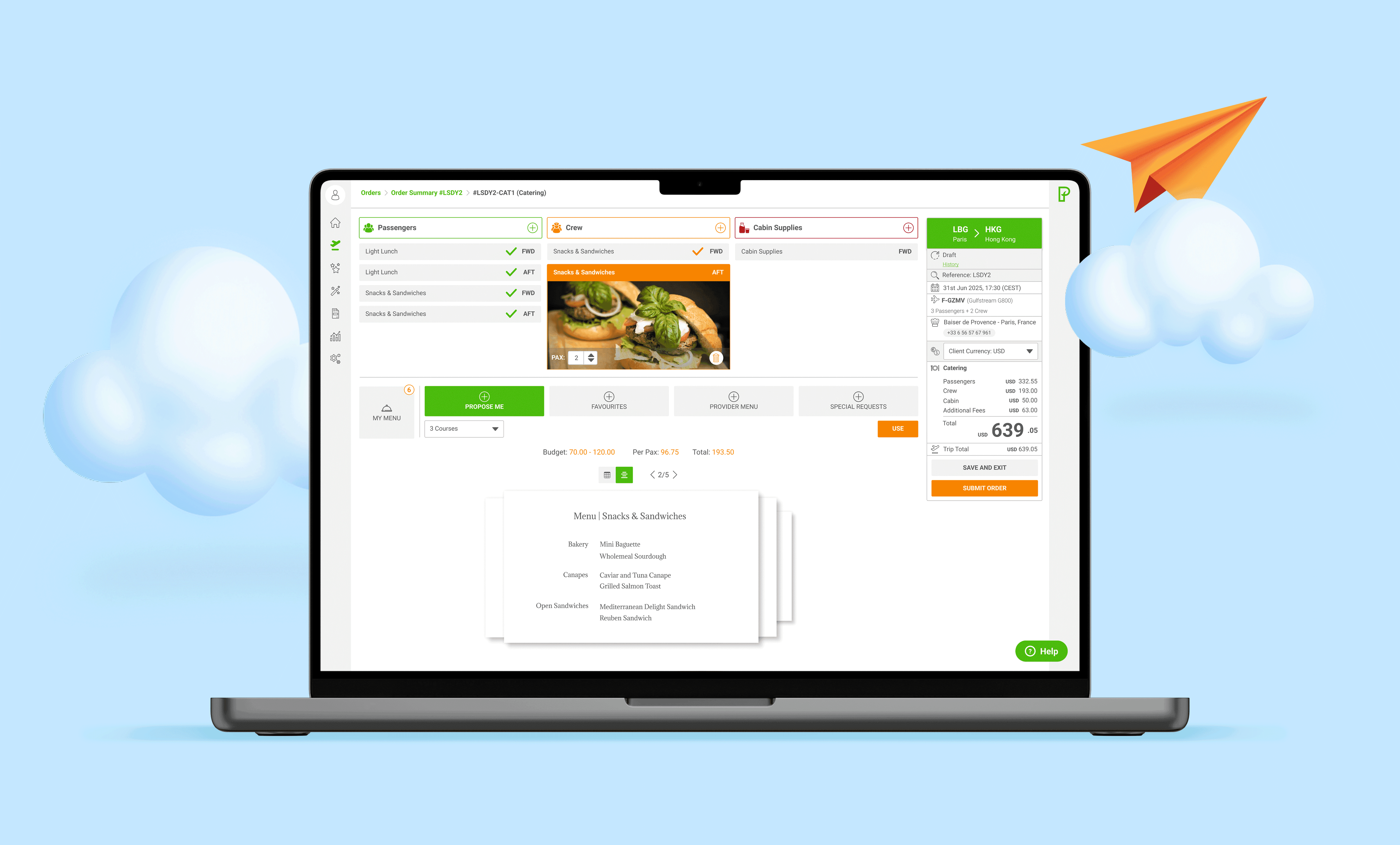
I designed and implemented a Quick Order feature for a catering management platform serving VIP passengers flying privately. The goal was to streamline menu creation, modernize the interface, introduce mobile access, and help users stay within budget.
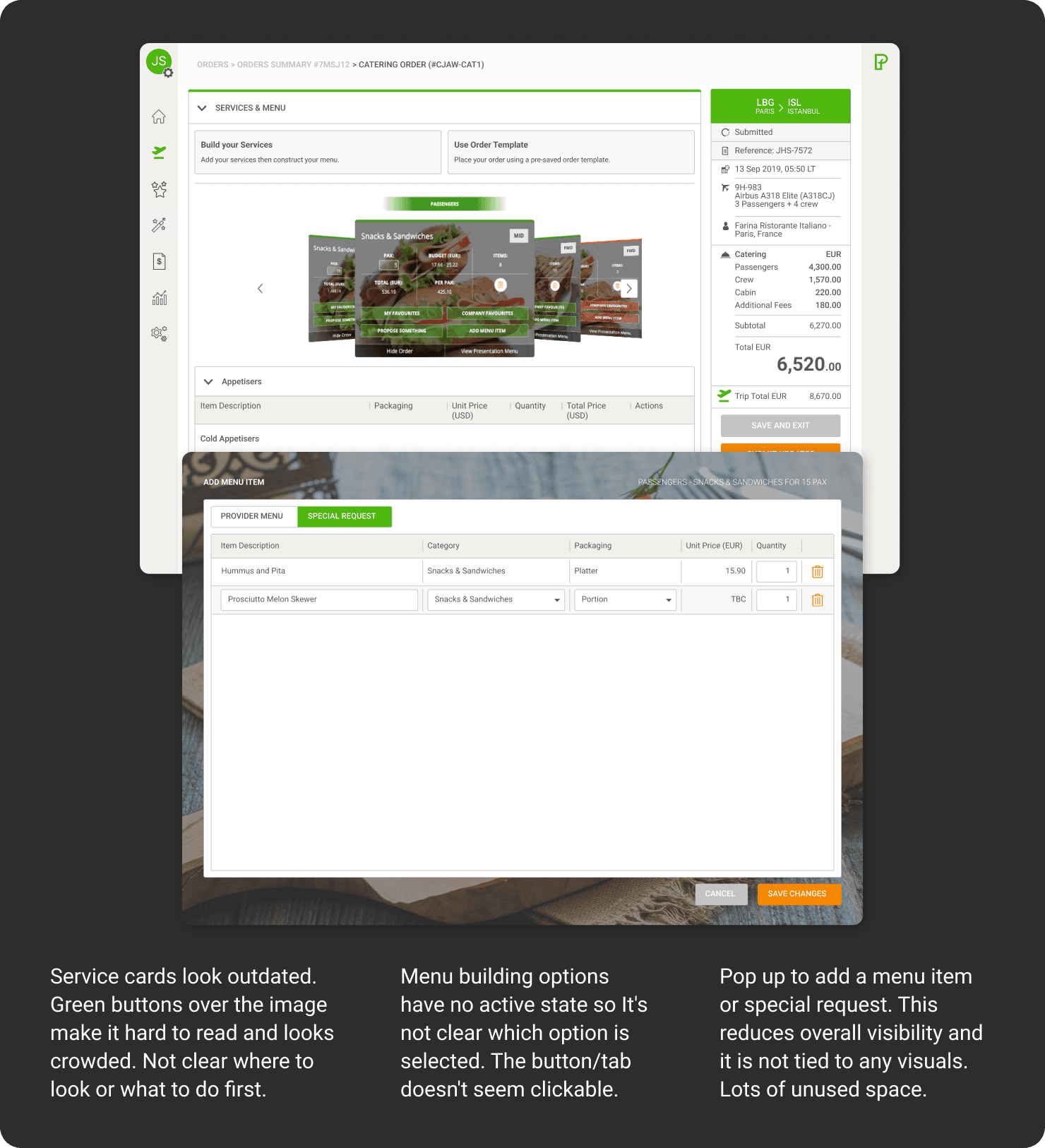
Crew used to need 6 pop-ups and 2 screens to place one order.
Now: one screen, one flow, 40% faster.
Switzerland
2006
Private Aviation
Challenge
Previously, crew members and trip planners manually built menus item by item from restaurants. The process was slow, costly, and lacked budget visibility.
The old UI was outdated and fragmented, requiring multiple pop-ups and separate screens to complete a single order. Without a mobile option, crew could not place or adjust orders on the move.
Process
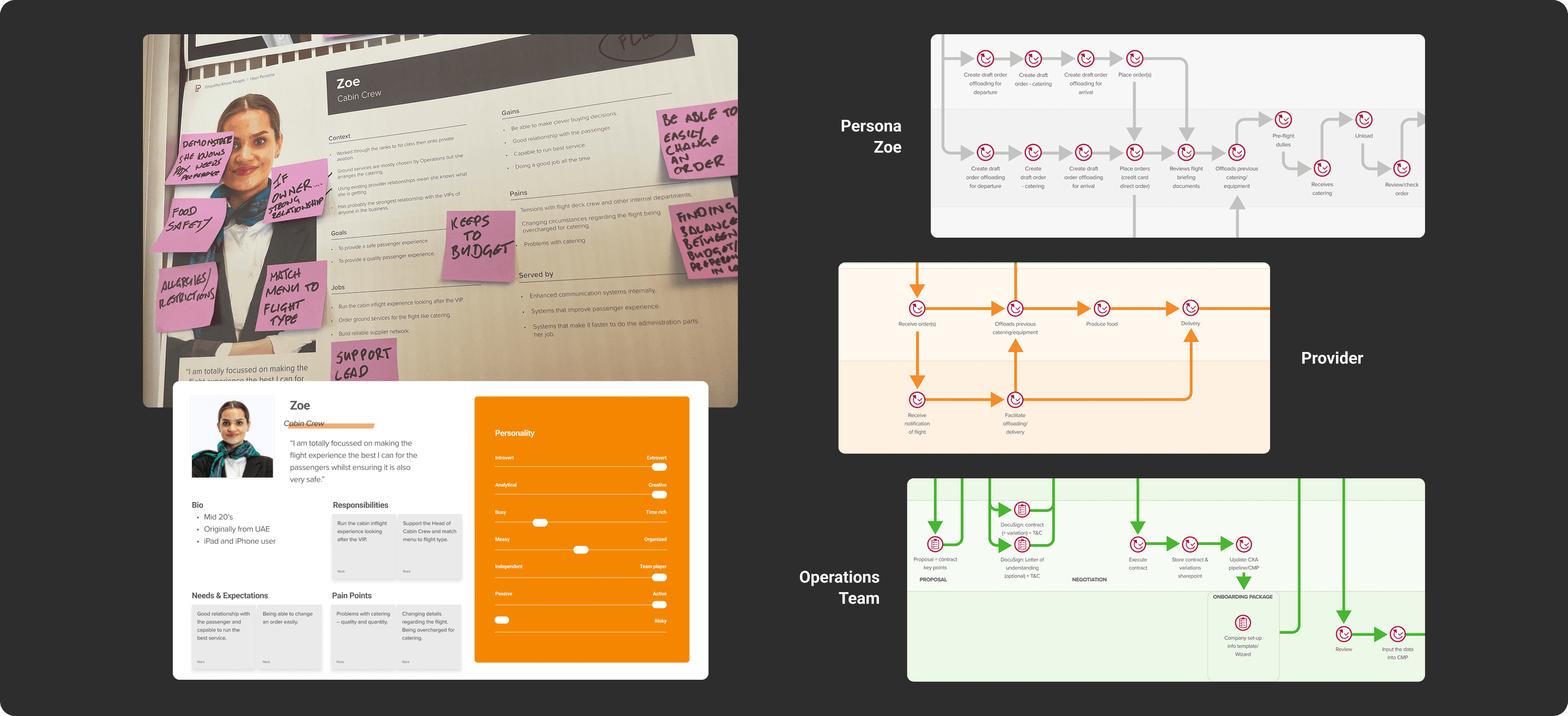
I began with user research, participating in a workshop and interviewing experts to create personas for crew members, trip planners, and VIP passengers. Each role had distinct needs: crew required efficiency on the move, planners needed budget awareness, and VIP passengers expected flawless, personalized service.
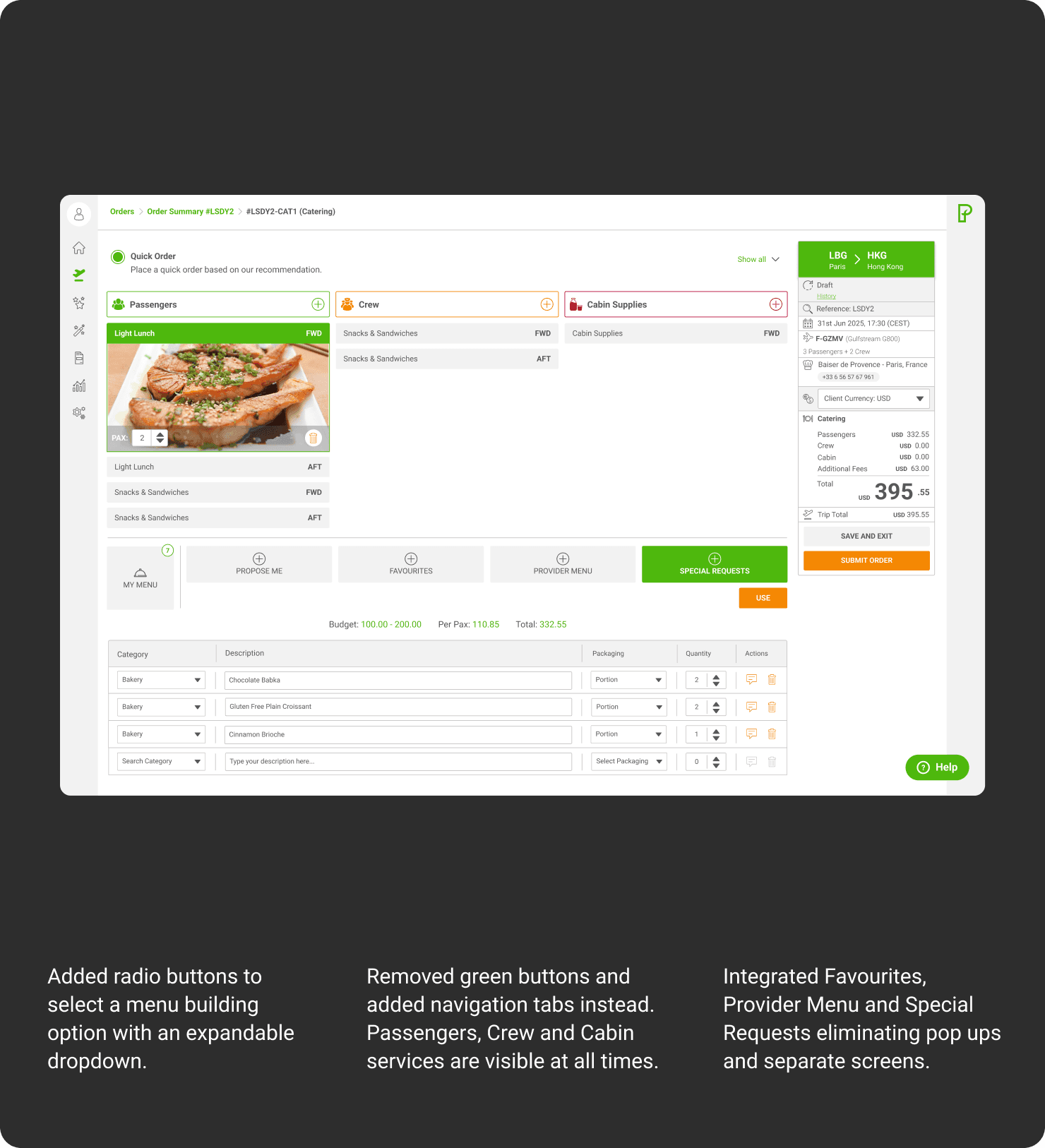
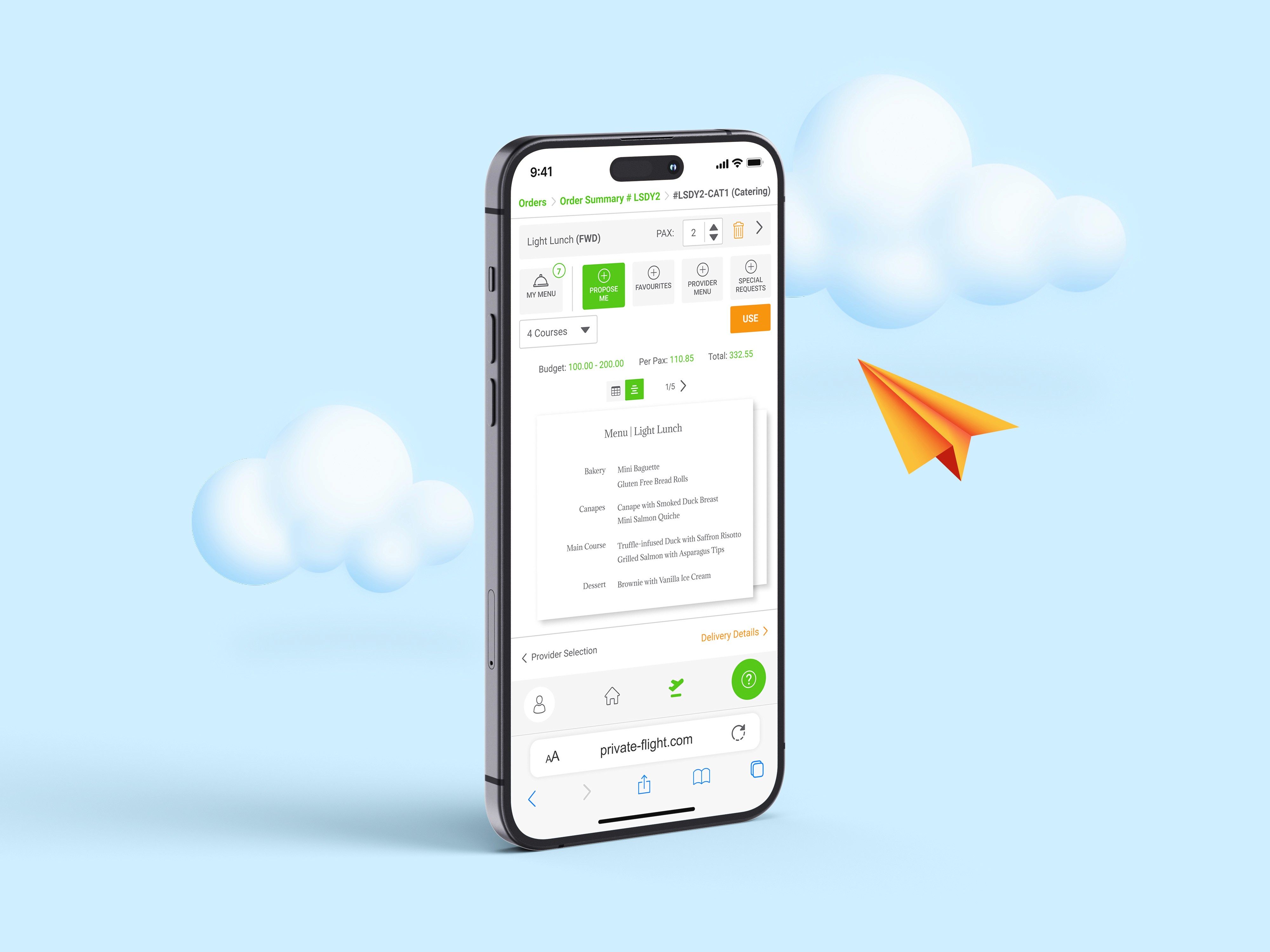
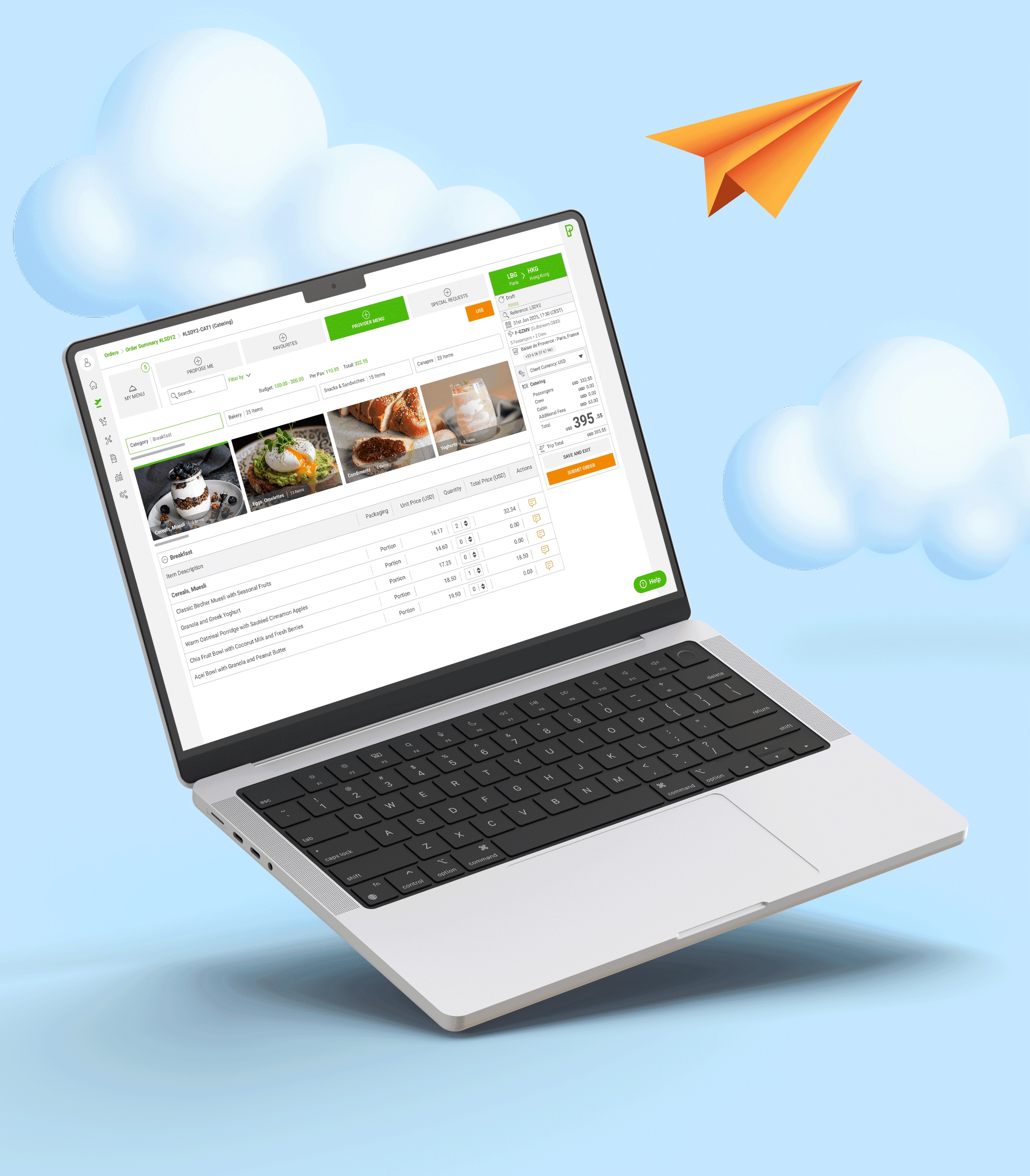
I refined these personas and mapped their journeys in Figma to uncover pain points in the ordering process. From this, I redesigned the interface, modernizing the menu-building section for both desktop and mobile. Quick Order automatically generated five tailored menu options based on departure city, time, and flight duration. Users could then customize menus, add requests, save templates, and stay within budget.
To simplify the workflow, I consolidated all actions into a single screen, eliminating redundant steps and pop-ups. A first iteration was tested with a selected user group, and their feedback guided refinements before rollout.
Results
The redesigned experience transformed the way orders were placed. After seeking feedback from crew members, 75% reported that they preferred Quick Order over the traditional menu-building process. The average time to place an order was cut down by 40%, and the mobile UI gave crew the flexibility to manage last-minute changes on the go.
By consolidating all actions into a single screen, eliminating redundant steps, and embedding budget indicators, Quick Order significantly improved usability and cost control — with a 60% reduction in clicks driving faster, more efficient ordering.
What I'd carry forward
Three things stood out from this project.
First, the value of consolidation. By collapsing a fragmented multi-screen flow into a single, intentional interface, we didn't just reduce clicks, we changed the way the crew thought about the task. 75% of users said they preferred the new flow, which tells me the win wasn't only in the metrics but in the mental model.
Second, research pays off most when it happens early. Personas, journey maps, and testing before high-fidelity work meant fewer surprises during build and a much cleaner handoff.
Third, proximity matters. Working with VIP end users meant much of my insight came through proxy stakeholders. Next time I'd push harder for direct user interviews from day one, it's the kind of access that's easy to deprioritize and impossible to replace.